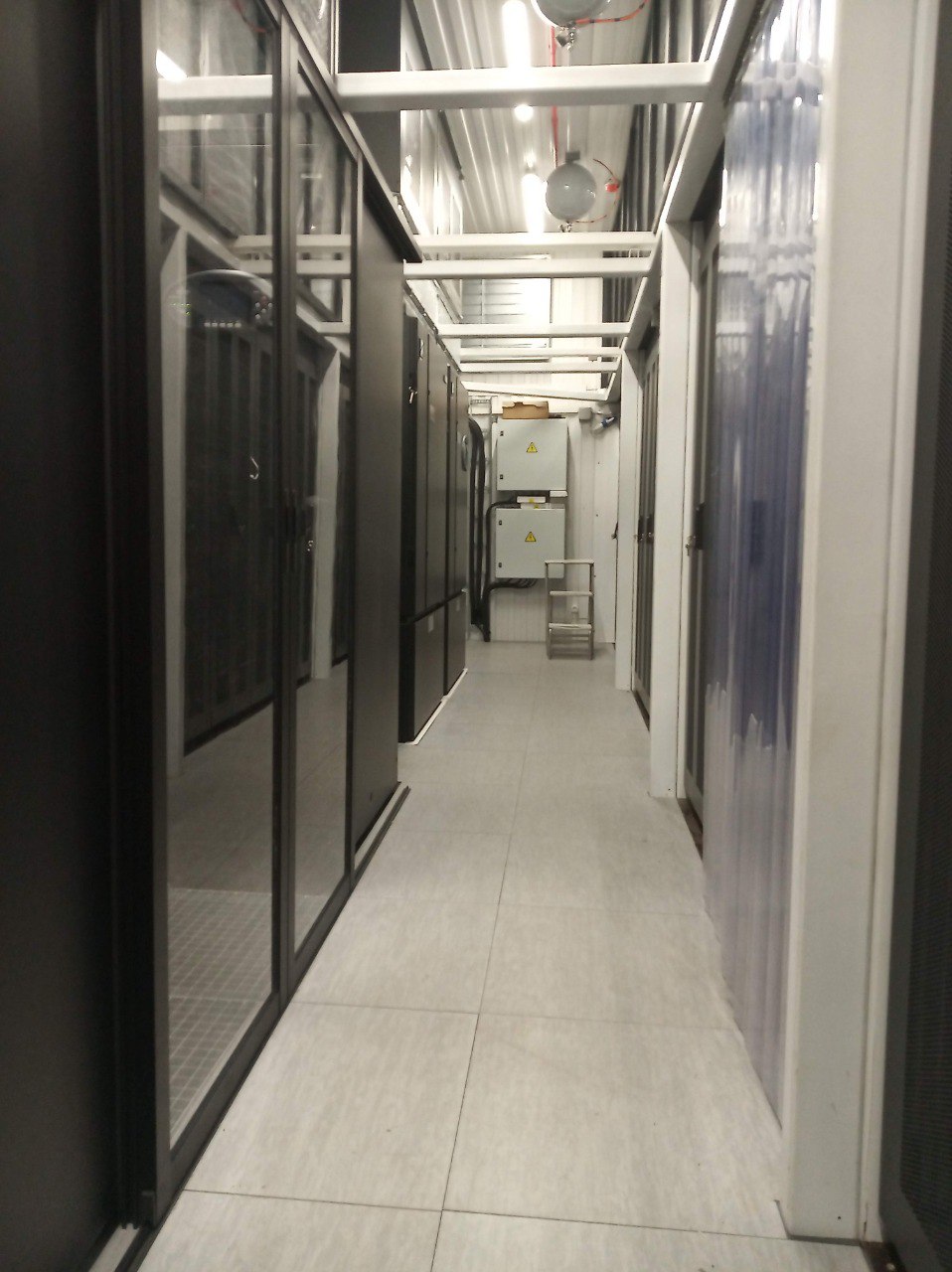
MODULAR DATA CENTER PRODUCTS

Choose the modular data center for the equipment you plan to run.

Compare prefabricated data center solutions for conventional CPU and storage, compact AI, inference and larger training clusters. Match the intended equipment, IT load and cooling before choosing a product.

Illustrations are not to scale

Conventional data centers20–300 kW IT loadAir cooling

MDC6060 kW IT load · 2 racksAir cooling

MDC500300–500 kW IT loadAir cooling; immersion by project

MDC20002.5 MW IT load85% direct liquid / 15% air

MDC30002.75 MW target IT loadAMD Helios · liquid + air cooling

MDC40004.2 MW planned IT load100% direct liquid cooling planned

CPU and storage
Conventional air-cooled infrastructure
Compact AI
MDC60 · 60 kW IT load
AI inference
MDC500 · 300–500 kW IT load
Inference and training
MDC2000 · 2.5 MW target IT load
AMD Helios
MDC3000 · 2.75 MW target IT load
Coming Q1 2027
MDC4000 · 4.2 MW planned IT load

Compare modular data center configurations.

Every capacity below is IT load: the power for computing equipment, separate from total facility demand. Hardware and cooling compatibility are checked for the selected server configuration.

Conventional data centers

20–300 kW IT load · Air cooling

Air-cooled infrastructure for enterprise IT, storage and local services. Select the capacity around your equipment and site.

Equipment: CPU servers and storage systems

Status: Configuration by project
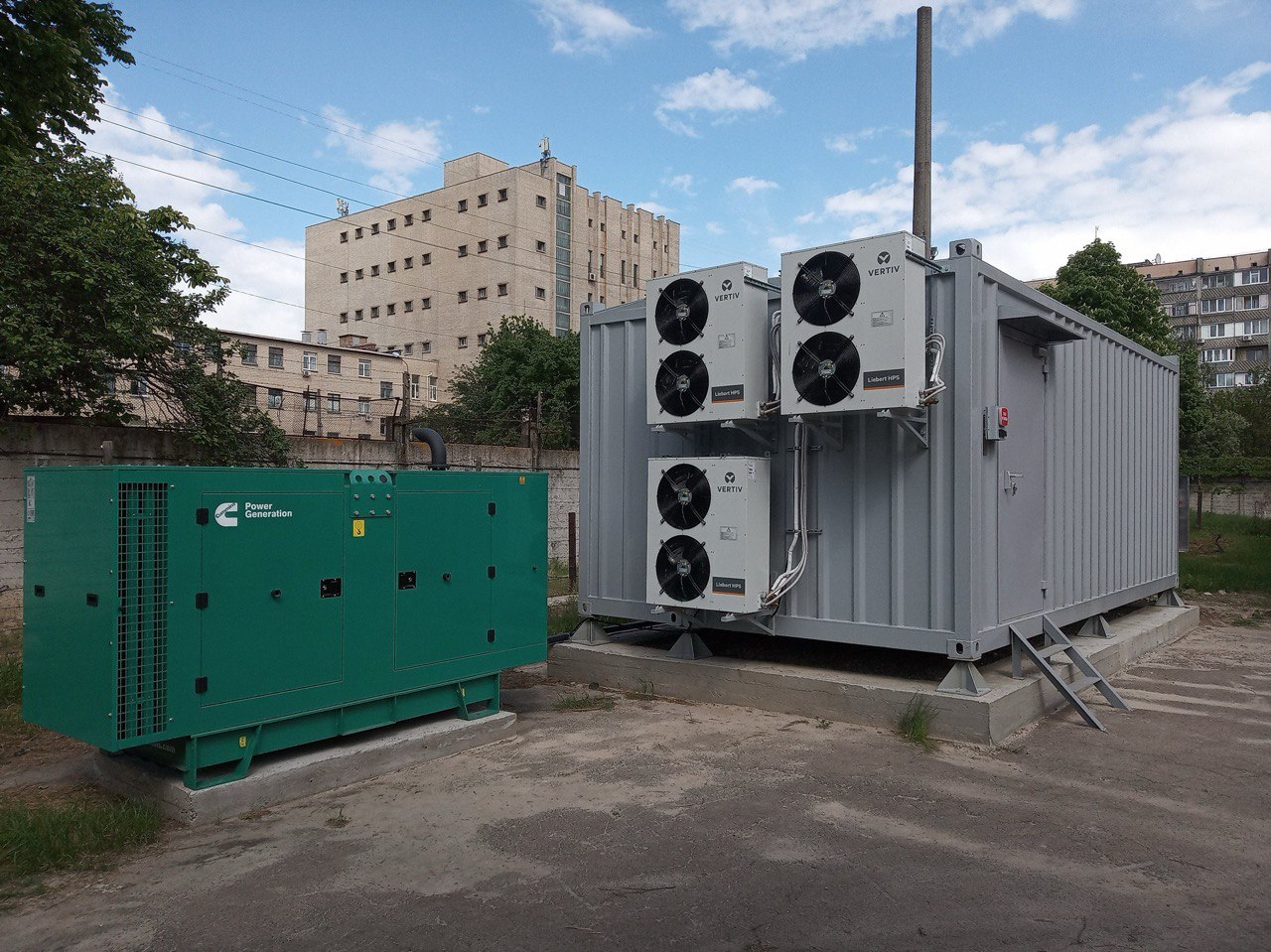
Explore Conventional data centers

MDC60

60 kW IT load · 2 racks · Air cooling

A 60 kW option for B200-class air-cooled servers, with power, cooling and service access planned around the selected equipment.

Equipment: NVIDIA B200-class servers

Status: Confirm the server configuration

Explore MDC60

MDC500

300–500 kW IT load · Air cooling; immersion by project

Infrastructure for H200 and RTX PRO 6000 Blackwell inference systems. Choose the air-cooled architecture or discuss an immersion configuration for your equipment.

Equipment: NVIDIA H200 / RTX PRO 6000 Blackwell

Status: Confirm the cooling configuration

Explore MDC500

MDC2000

2.5 MW IT load · 85% direct liquid / 15% air

The GB300 NVL72 layout combines 16 compute racks with 16 network and service racks. Power, liquid cooling and residual air cooling are engineered together.

Equipment: NVIDIA GB300, B300 and B200 configurations

Status: Confirm the hardware and site design

Explore MDC2000

MDC3000

2.75 MW target IT load · 3.2 MW total incoming power

A dedicated Helios design with ten compute racks and 16 racks for networking, CPU and storage. Power, liquid cooling, supporting air cooling and wide-rack access are coordinated in one facility.

Equipment: AMD Helios

Status: Confirm the OEM equipment and site design

Explore MDC3000

MDC4000

4.2 MW planned IT load · 100% direct liquid cooling planned

A coming-soon product targeting 4.2 MW of IT load and fully direct liquid-cooled infrastructure. Discuss your future hardware and capacity plan.

Equipment: Target platform: VR200

Status: Coming Q1 2027

Explore MDC4000

Compare the range

Compare the range
ProductPurposeIT loadMax rack powerTarget equipmentCoolingStatus
Conventional data centersCPU and storage20–300 kW IT load15 kWCPU servers and storage systemsAir coolingConfiguration by project
MDC60Compact AI deployments60 kW IT load · 2 racks30 kWNVIDIA B200-class serversAir coolingConfirm the server configuration
MDC500AI inference300–500 kW IT load50 kWNVIDIA H200 / RTX PRO 6000 BlackwellAir cooling; immersion by projectConfirm the cooling configuration
MDC2000AI inference and training2.5 MW IT load142 kWNVIDIA GB300, B300 and B200 configurations85% direct liquid / 15% airConfirm the hardware and site design
MDC3000Enterprise AI, inference and training2.75 MW target IT loadPer OEM equipment scheduleAMD HeliosApproximately 85% direct liquid / 15% airConfirm the OEM equipment and site design
MDC4000AI inference and training4.2 MW planned IT load236 kWTarget platform: VR200100% direct liquid cooling plannedComing Q1 2027

Coordinate power, cooling and controls.

A modular facility coordinates IT space, power, cooling and controls. Module layout and equipment interfaces are resolved together before factory assembly.

  1. 01

    IT environment

    Rack positions, access, airflow, service clearances and the interfaces required by the selected hardware.

  2. 02

    Power

    Incoming supply, UPS, batteries, distribution and rack paths configured to the load and availability objective.

  3. 03

    Thermal system

    Air, rear-door heat exchange, direct liquid cooling or an immersion option, selected for the equipment and climate.

  4. 04

    Protection and control

    Fire-protection interfaces, physical security, monitoring, alarms and BMS/DCIM integration defined within the project scope.

Plan factory integration and site commissioning.

We separate design, factory assembly and testing, transport, installation and commissioning, so you can see what happens when.

  1. 01

    Define the equipment.

    Confirm CPU or GPU servers, storage, rack loads, networking and the capacity required.

  2. 02

    Design for the location.

    Review climate, power, fibre routes, foundations, access and the external cooling plant.

  3. 03

    Build and test.

    Assemble the agreed systems and complete factory acceptance testing (FAT).

  4. 04

    Connect and commission.

    Install the modules, complete site acceptance and test the assembled facility before handover.

Factory work and site preparation can progress in parallel. For phased growth, plan shared power, cooling and access before adding capacity. Each stage still depends on equipment availability, logistics, site readiness and approvals.

Prepare the site for the complete facility.

Plan the module, its external plant and their connections together.

  • Suitable incoming power and the agreed upstream resilience
  • Foundations or a prepared support structure
  • Delivery, lifting and maintenance access
  • Fibre and communications
  • Heat-rejection location and interfaces
  • Drainage or water strategy where applicable
  • Fire, security and regulatory coordination
  • A commissioning and operating plan

The quotation separates factory-built infrastructure, external plant, site works and installation responsibilities. Compare modular data center costs on that basis, including the work required for each capacity phase.

FOR SITE OWNERS AND ENERGY COMPANIES

Build capacity for a tenant’s computing equipment.

MDC2000 can form the infrastructure for a colocation business. Alongside the facility, we can discuss introductions to prospective tenants and the requirements they bring. Tenant placement and commercial terms are agreed by project.

Tenant introductions do not guarantee occupancy or investment returns. MDC4000 is a coming-soon option for future capacity planning.

Frequently asked questions

How do I choose a modular data center for my equipment?

Start with the server models, rack count, maximum power per rack and cooling interfaces, then check total IT load and site capacity. CPU and storage workloads can use conventional air-cooled infrastructure; dense AI systems may need a different layout and liquid interfaces. The comparison table shows the intended role of each ModulEdge product.

What capacities and equipment configurations does ModulEdge offer?

Conventional infrastructure covers 20–300 kW IT load for CPU and storage. MDC60 provides 60 kW in two racks for selected air-cooled B200-class servers. MDC500 targets 300–500 kW for H200 or RTX PRO 6000 Blackwell inference. MDC2000 targets 2.5 MW for selected NVIDIA configurations, including GB300 NVL72. MDC3000 targets 2.75 MW for AMD Helios. MDC4000 is planned for Q1 2027 with a 4.2 MW IT target. Confirm the selected OEM equipment, cooling, design status and project scope for each configuration.

Which ModulEdge products are designed for GB300 NVL72 and AMD Helios?

MDC2000 has a GB300 NVL72 layout with 16 compute racks and 16 network and service racks. MDC3000 is the dedicated AMD Helios design, targeting 2.75 MW of IT load. These are separate configurations: rack dimensions, power and cooling interfaces must follow the selected OEM equipment.

Should I choose air cooling, direct liquid cooling or immersion?

Choose the cooling system supported by the servers and their rack heat load. Conventional products and MDC60 use air cooling. MDC500's air-cooled reference uses rear-door heat exchangers, with immersion considered separately by project. MDC2000 and MDC3000 use direct liquid cooling for the main load and air cooling for the remaining heat.

Can a modular data center be expanded in phases?

Capacity can be phased around equipment deployment and demand. Plan the first phase together with the power connection, external cooling, fibre routes, foundations and access for later units. A larger rack count alone does not establish that the existing site infrastructure can support the next phase.

How should I compare modular data center quotations?

Compare the same IT load, rack density, resilience and site conditions. Check whether each quote includes UPS and batteries, external heat rejection, upstream power equipment, civil works, transport, commissioning and computing hardware. A price per kW or MW is useful only when those scope boundaries match. Our cost guide explains the main budget drivers.

Which product specifications are still planned?

MDC4000 is listed as coming Q1 2027, with a planned 4.2 MW IT load and fully direct liquid-cooled direction. Those are roadmap targets. For every product, confirm the equipment configuration, design status, component availability and delivery programme in the project proposal.

Describe the equipment or capacity you need.

Ask for pricing and specifications for the equipment, capacity or site you have in mind. A complete project brief is not required.

Contact form

Preview build: this form is not connected yet, so nothing was sent.